> For the complete documentation index, see [llms.txt](https://abz.gitbook.io/inpocklink/llms.txt). Markdown versions of documentation pages are available by appending `.md` to page URLs; this page is available as [Markdown](https://abz.gitbook.io/inpocklink/guide/get-started.md).
# 회원가입-프로필 링크걸기
인포크링크는 아래 순서대로 진행하면 하나의 완성된 링크 페이지를 만들 수 있습니다.
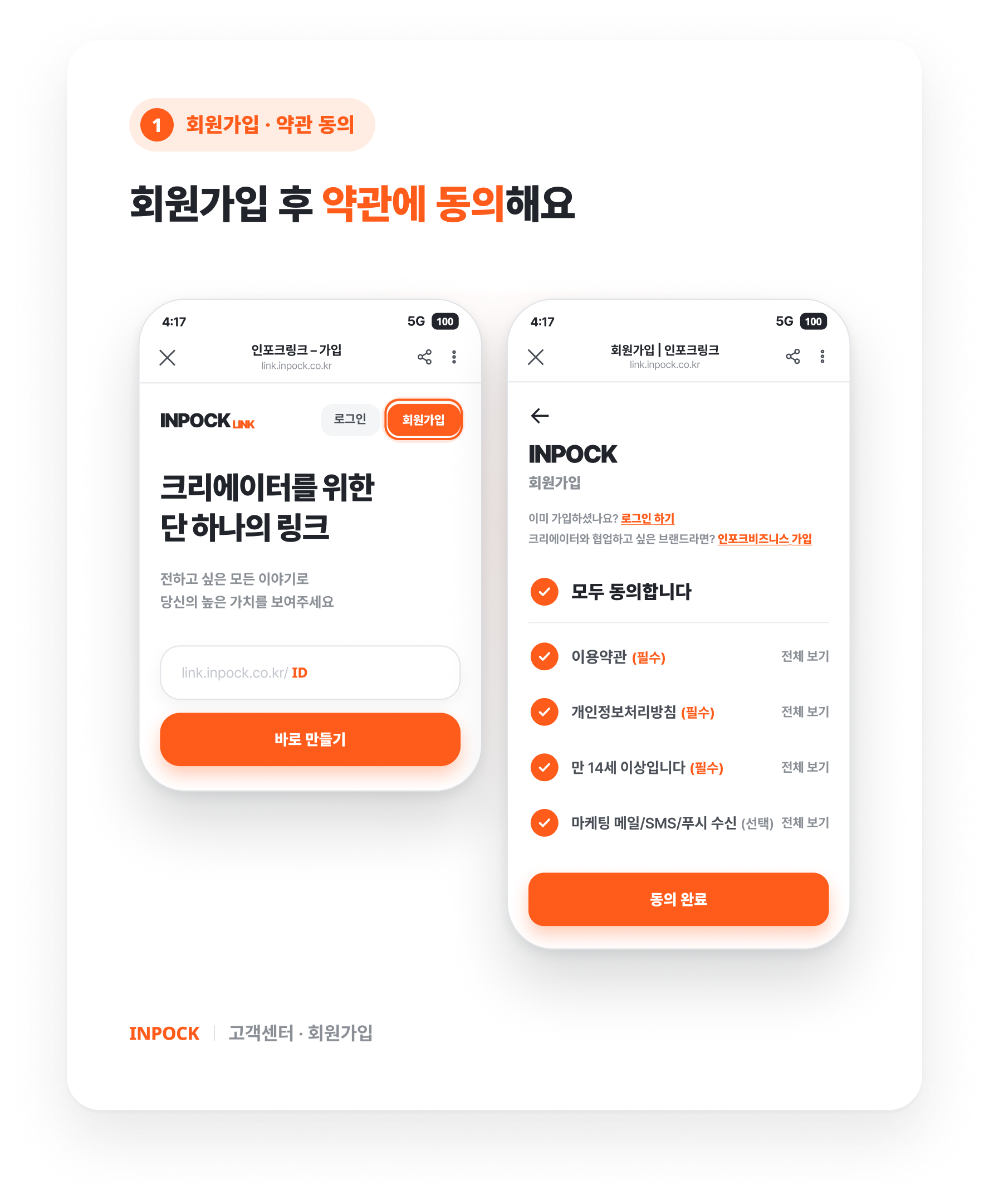
### 1. 회원가입
아이디 설정 → 내 인포크링크 주소 생성
나만의 링크 페이지를 생성하기 위해서는 간단한 가입이 필요합니다. 아이디는 곧 개인 주소가 됩니다. \
주소는 추후 변경이 가능합니다.
### 2. 링크페이지 구성하기
다양한 블록을 생성하실 수 있어요. \
아래 버튼을 눌러 다양한 블록을 만나보세요!
* 블록 추가 – 콘텐츠와 채널을 블록으로 구성
* 디자인 설정 – 페이지 분위기와 구조 정리
{% content-ref url="/pages/mGOrNBFhuAKlHl0IxMHm" %}
[링크페이지 관리하기](/inpocklink/manage.md)
{% endcontent-ref %}
{% content-ref url="/pages/4Wj6WpadLb088cNC63VM" %}
[링크 페이지 디자인 및 설정하기](/inpocklink/design-and-settings.md)
{% endcontent-ref %}
### 3. 프로필 링크 걸기
나의 인포크링크를 공개해서 팔로워의 방문을 유도해볼까요! 커버 영역의 아이디를 클릭하면 전체 주소가 복사됩니다. SNS의 프로필 영역이나 원하는 곳에 붙여넣기 해주세요.
#### **함께 보면 좋은 도움말**
* :link:[아이디/비밀번호가 기억나지 않아요. ](https://abz.gitbook.io/inpocklink/faq#undefined-14)
.png?alt=media&token=1e307797-65c9-48fe-91c5-144140000f9a)


